
Understanding Object-Oriented Programming in JavaScript: Classes & Objects Made Simple

Hello! ☕
By now you've seen variables, functions, arrays, and objects. Now it's time to level up: Object-Oriented Programming (OOP) — one of the most powerful ways to organize code in modern JavaScript.
OOP helps you model real-world things (like students, cars, users) as reusable "blueprints" and create many similar objects from them. This makes code cleaner, reusable, and easier to maintain — especially in big projects.
Today we'll cover beginner-friendly OOP basics in JS:
What OOP means
Real-world analogy (blueprint → objects)
What is a class in JavaScript
Creating objects from classes
The constructor method
Adding methods inside a class
Basic idea of encapsulation
No advanced topics like inheritance or prototypes yet — just the essentials!
What is Object-Oriented Programming (OOP)?
OOP is a programming style where you organize code around objects rather than just functions and logic.
An object bundles:
Data (properties like name, age)
Behavior (methods like greet(), drive())
Classes act as blueprints to create many similar objects easily.
Real-World Analogy: Car Blueprint → Car Objects
Think of a car blueprint (design plan):
Defines properties: color, model, year
Defines behaviors: startEngine(), drive(), brake()
From one blueprint, a factory can produce thousands of real cars — each with its own color, but all following the same design.
In JS:
Class = Blueprint
Object (instance) = Actual car created from the blueprint
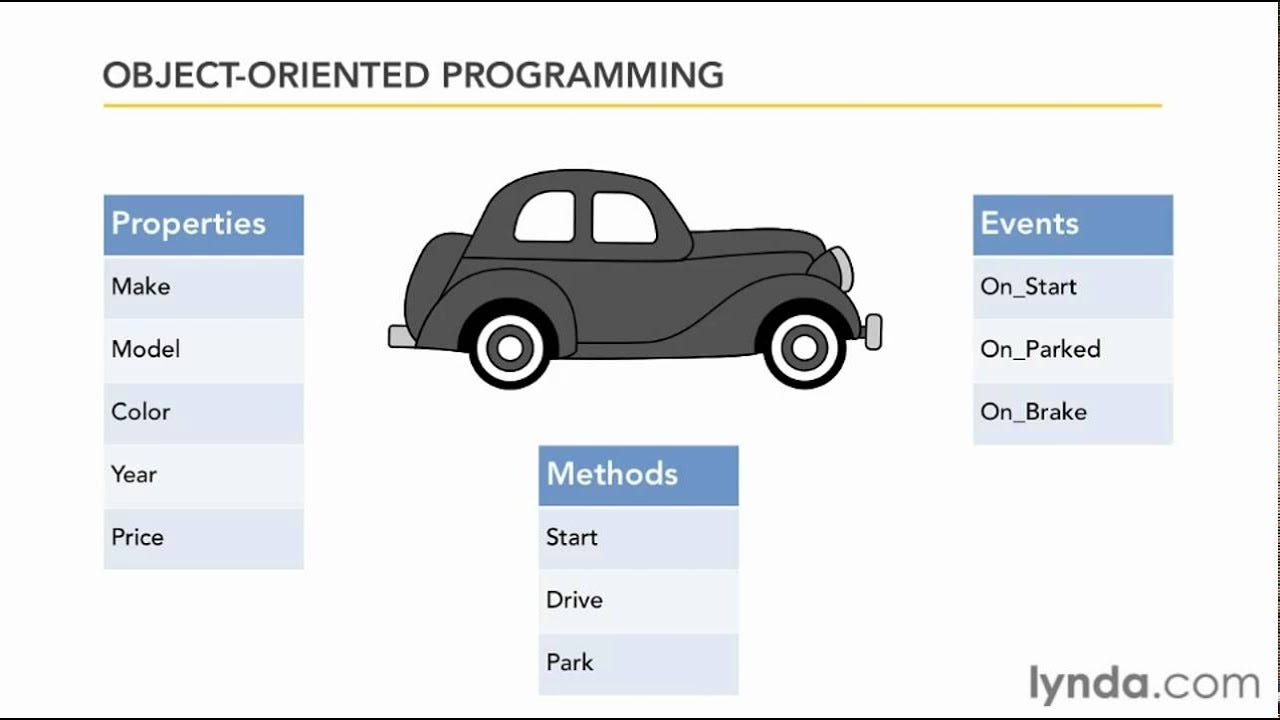
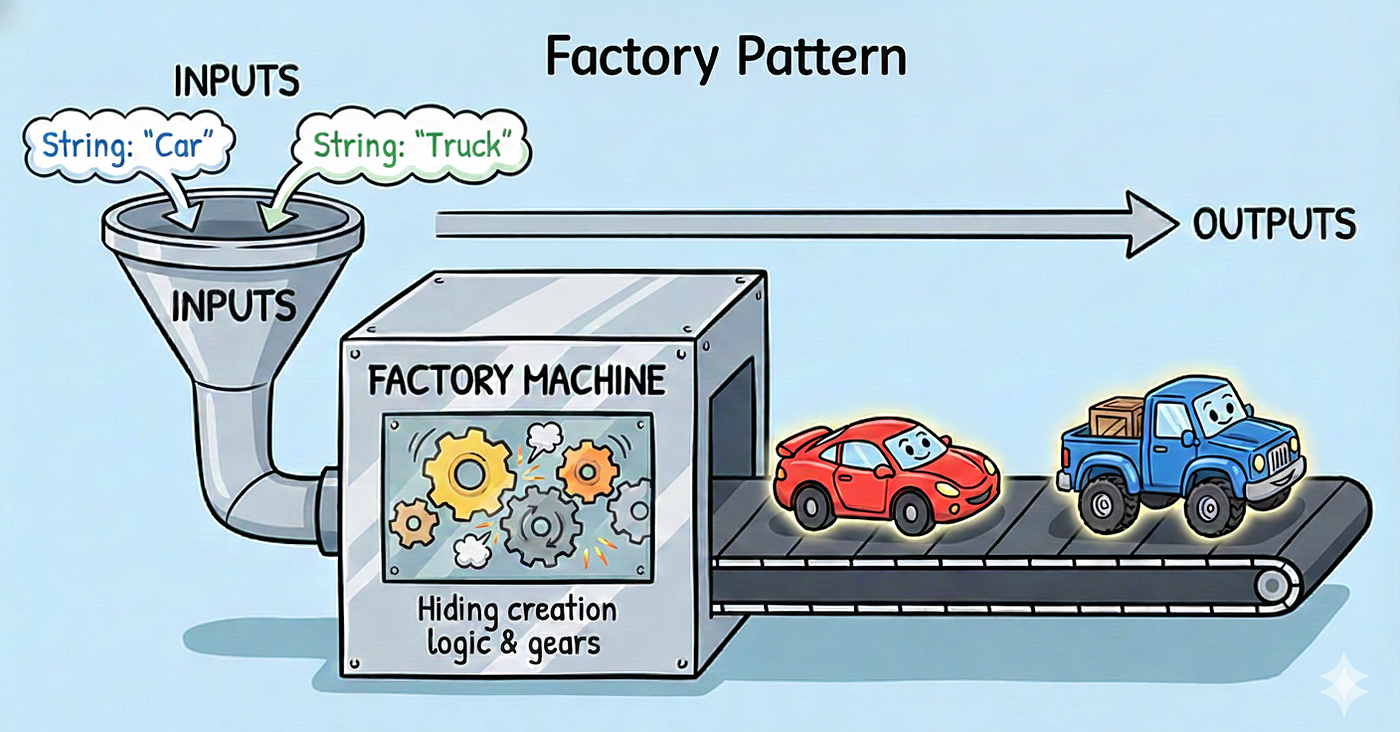
(These show properties + methods tied to a car — perfect analogy!)
What is a Class in JavaScript?
A class is a template for creating objects. Introduced in ES6 (2015), it uses the class keyword — much cleaner than old constructor functions.
class Car {
  // class body goes here
}
Creating Objects Using Classes
Use the new keyword to create (instantiate) an object:
let myCar = new Car();
let yourCar = new Car();
Each gets its own copy of properties and methods.
The Constructor Method
The constructor() runs automatically when you create an object with new. Perfect for setting initial properties.
class Car {
  constructor(make, model, year) {
    this.make = make;    // this = current object
    this.model = model;
    this.year = year;
  }
}

let tesla = new Car("Tesla", "Model 3", 2025);
console.log(tesla.make);   // Tesla
console.log(tesla.year);   // 2025
this refers to the newly created object — very important!
Methods Inside a Class
Methods are functions inside the class — define behaviors.
class Car {
  constructor(make, model, year) {
    this.make = make;
    this.model = model;
    this.year = year;
  }

  startEngine() {
    console.log(`\({this.make} \){this.model} engine started! 🚗`);
  }

  getAge(currentYear) {
    return currentYear - this.year;
  }
}

let honda = new Car("Honda", "Civic", 2020);
honda.startEngine();                  // Honda Civic engine started! 🚗
console.log(honda.getAge(2026));      // 6
See? Reusability — one class, many cars, same methods!
Basic Idea of Encapsulation
Encapsulation = bundling data (properties) and methods together, while controlling access to the data.
In simple terms: hide internal details, expose only what's needed.
In beginner JS classes:
Properties are public by default
We can think of methods as the "safe" way to interact with data
Example analogy: Car engine (hidden/complex) vs steering wheel (public interface).
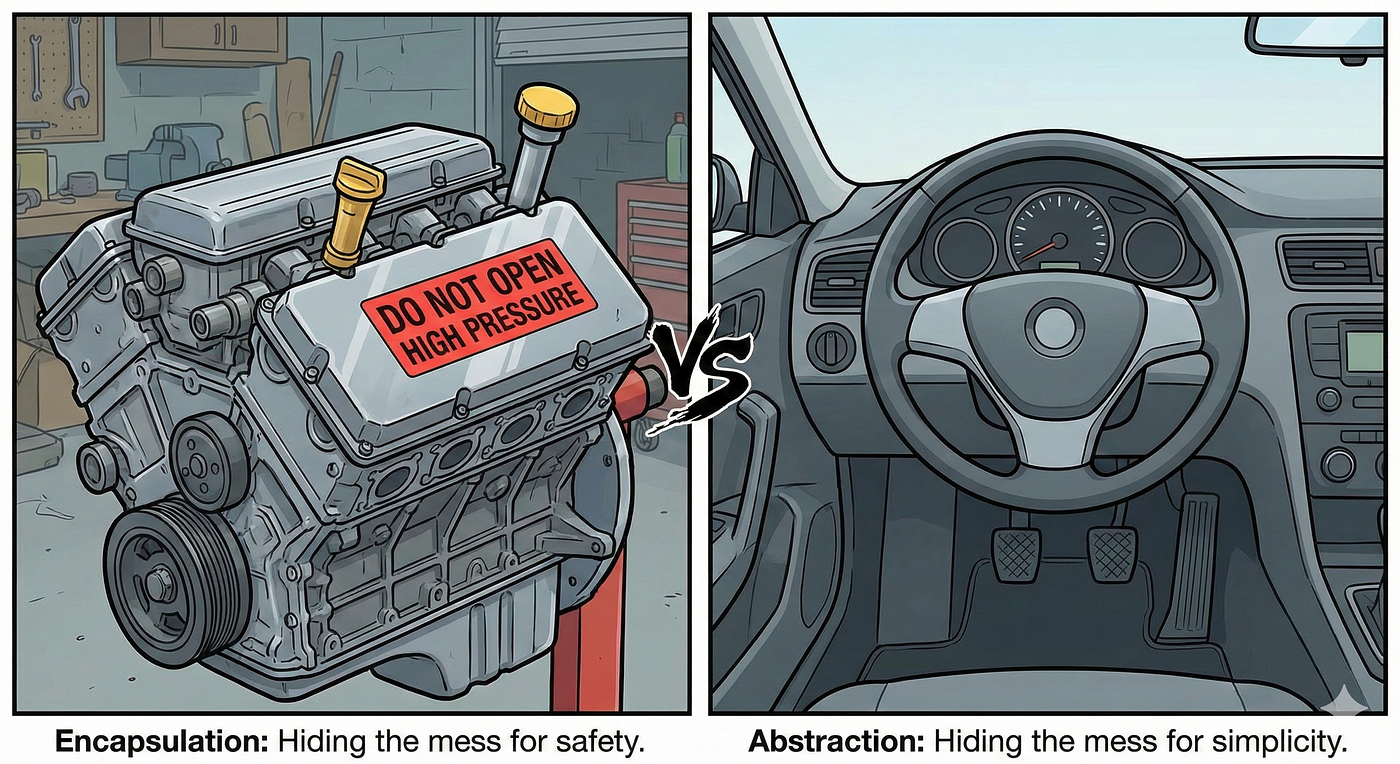
(Visuals: Hiding complexity behind simple interfaces — core of encapsulation)
Later you'll learn private fields (#privateProp) for true hiding.
Mini Assignment – Practice in Console!
- Create a Student class:
class Student {
  constructor(name, age) {
    this.name = name;
    this.age = age;
  }

  printDetails() {
    console.log(`Name: \({this.name}, Age: \){this.age}`);
  }
}
- Create multiple student objects:
let student1 = new Student("Priya", 20);
let student2 = new Student("Rahul", 22);

student1.printDetails();  // Name: Priya, Age: 20
student2.printDetails();  // Name: Rahul, Age: 22
- Add one more method (e.g., isAdult() that returns true if age >= 18)
Try it in your browser console and share your class + output in the cohort group!
Diagram Ideas (Visual Summary)
Blueprint → Object diagram: Car blueprint on left → multiple colored cars on right (see images 3 & 4 above)
Class → Instance relationship: Class box with constructor/methods → arrows to multiple object instances with their own data (see image 0 or 2)
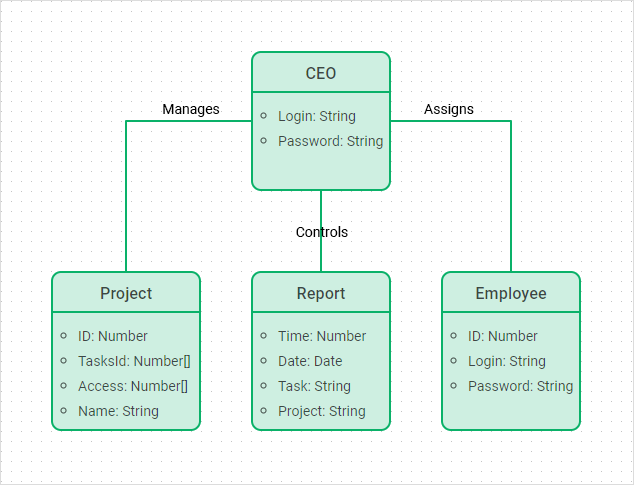
Classes make your code feel professional and scalable. Practice creating classes for everyday things (Book, Phone, GameCharacter)!
Happy coding, cohort! 🚀
What real-world thing would you turn into a class? Comment below! 😄


