
JavaScript Operators: The Basics You Need to Know

Hello cohort! ☕
Operators are the symbols that perform operations on values — like math symbols in everyday life. In JavaScript, they let you do calculations, compare values, combine conditions, and assign data.
Think simple math:
5 + 3 = 8 → here + is an operator.
We use operators constantly in code: checking if a user is logged in, calculating totals, building conditions for if statements.
Today we'll cover the most common everyday operators (no precedence tables or bitwise yet):
What operators are
Arithmetic operators
Comparison operators
Logical operators
Assignment operators
All with console-friendly examples.
1. What Operators Are
Operators act on one or more operands (values) to produce a result.
Types we'll cover:
Arithmetic → math
Comparison → true/false questions
Logical → combine true/false
Assignment → store values
2. Arithmetic Operators (+, -, *, /, %)
These perform math like school.
let a = 10;
let b = 3;

console.log(a + b);  // 13  (addition)
console.log(a - b);  // 7   (subtraction)
console.log(a * b);  // 30  (multiplication)
console.log(a / b);  // 3.333... (division)
console.log(a % b);  // 1   (modulus / remainder)
Bonus: Increment/decrement (common shortcuts)
let count = 5;
count++;   // count = 6 (post-increment)
++count;   // count = 7 (pre-increment)
console.log(count); // 7
Real use: Calculate cart total, age, scores.
3. Comparison Operators (==, ===, !=, >, <)
These return true or false — perfect for if conditions.
let x = 5;
let y = "5";

console.log(x == y);   // true   (loose equality: converts types)
console.log(x === y);  // false  (strict equality: checks value AND type)
console.log(x != y);   // false
console.log(x !== y);  // true

console.log(x > 3);    // true
console.log(x < 10);   // true
console.log(x >= 5);   // true
Key difference: vs =
== does type coercion (converts before comparing) — can cause bugs!
=== checks value and type — safer and recommended.
Example of trap:
console.log(0 == false);   // true  (== coerces false to 0)
console.log(0 === false);  // false (different types)
Always prefer === and !== in modern JS.
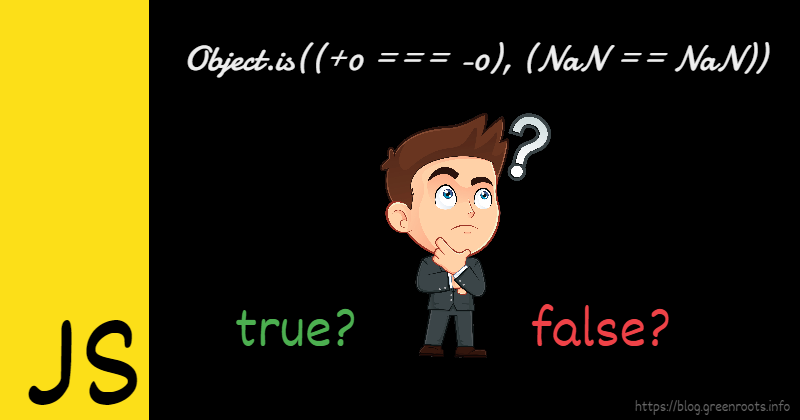
(These diagrams show why can be tricky with type coercion vs strict =)
4. Logical Operators (&&, ||, !)
Combine or invert boolean values.
&& (AND) → true only if both are true
|| (OR) → true if at least one is true
! (NOT) → flips true → false, false → true
let isAdult = true;
let hasLicense = false;

console.log(isAdult && hasLicense);  // false
console.log(isAdult || hasLicense);  // true
console.log(!isAdult);               // false
Real use:
let age = 20;
let hasTicket = true;

if (age >= 18 && hasTicket) {
  console.log("You can enter!");
}
Truth table summary (AND, OR, NOT):

(Visual truth tables for &&, ||, ! — helps see every combination)
5. Assignment Operators (=, +=, -=)
Assign values or update them.
let score = 100;     // basic assignment

score += 20;         // score = score + 20 → 120
score -= 10;         // score = score - 10 → 110
score *= 2;          // score = score * 2 → 220
score /= 5;          // score = score / 5 → 44

console.log(score);  // 44
Shorthand saves typing and is very common.
Operator Categories Quick View
Here's a simple table of what we covered:

(Operator category tables — focus on arithmetic, comparison, logical, assignment)
Mini Assignment – Practice in Console!
Perform arithmetic on two numbers:
let num1 = 15;
let num2 = 4;
console.log("Sum:", num1 + num2);
console.log("Remainder:", num1 % num2);
Compare using both and =:
let val1 = 10;
let val2 = "10";
console.log(val1 == val2);   // ?
console.log(val1 === val2);  // ?
Write a small condition with logical operators:
let isSunny = true;
let isWeekend = false;
if (isSunny && isWeekend) {
  console.log("Perfect day for outing!");
} else {
  console.log("Maybe stay inside.");
}
Run these in your browser console and share the outputs + your own condition in the cohort group!
Operators are the building blocks of logic and calculations in JS. Master these basics and if, for, functions become much easier!
Happy coding, cohort! 🚀
Which operator do you use most? Or which one confused you at first? Comment below! 😄


