
Understanding Objects in JavaScript: Key-Value Pairs Made Simple

Hello! ☕
In JavaScript, arrays are great for ordered lists (like shopping items or numbers). But what if you want to store related data that isn't in a strict order? That's where objects shine!
Objects let you group related information using key-value pairs — think of them as labeled boxes holding data about something real, like a person, a car, or a book.
Today we'll cover the basics every beginner needs:
What objects are and why we need them
Creating objects
Accessing properties
Updating, adding, and deleting properties
Looping through objects
All with super simple examples. Let's build a "person" object step by step!
What Are Objects and Why Do We Need Them?
An object is a collection of key-value pairs where:
Key = property name (like a label, usually a string)
Value = the actual data (string, number, boolean, array, another object, function, etc.)
Real-world analogy: A person has a name, age, city — not a numbered list, but named attributes.
Why use objects instead of arrays?
Arrays use indexes (0, 1, 2...) → good for ordered lists
Objects use meaningful keys → good for labeled, related data
Quick comparison:
| Feature | Array | Object |
|---|---|---|
| Access method | By index (numbers) | By key (names) |
| Order | Ordered / indexed | Unordered (keys are unique) |
| Best for | Lists (e.g., [1, 2, 3]) | Records (e.g., {name: "Ali", age: 25}) |
| Duplicate keys? | Yes (duplicates allowed) | No (keys must be unique) |
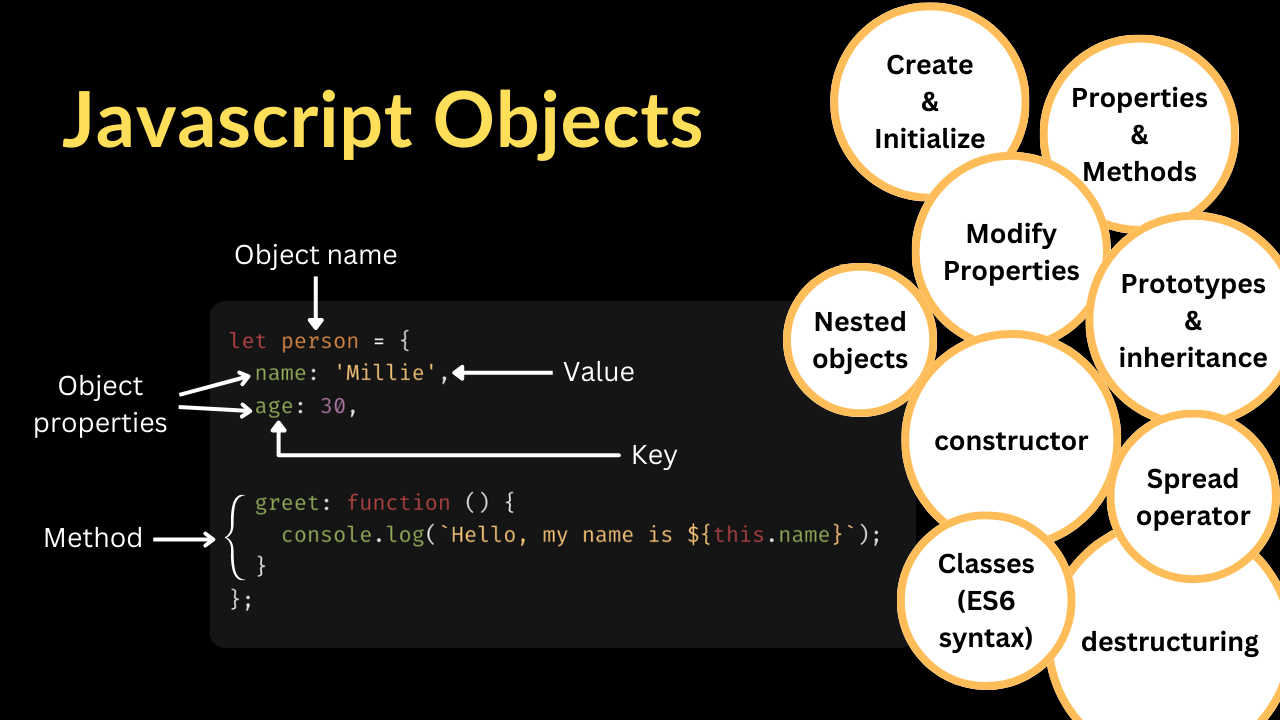
(Visuals: See how objects use named keys vs arrays' numbered positions)
Creating Objects
Two common ways:
- Object literal (most common & readable):
let person = {
  name: "Ali",
  age: 25,
  city: "Ahmedabad",
  isStudent: true
};

console.log(person);
- Using constructor (less common for basics):
let person = new Object();
person.name = "Ali";
person.age = 25;
Use literal syntax — it's cleaner!
Accessing Properties
Two ways:
- Dot notation (preferred when key is known & valid identifier):
console.log(person.name);     // Ali
console.log(person.age);      // 25
- Bracket notation (use when key is dynamic or has special chars):
console.log(person["city"]);  // Ahmedabad

let key = "isStudent";
console.log(person[key]);     // true
Bracket notation is flexible — great for variables or keys with spaces/hyphens.
Updating Object Properties
Just assign a new value:
person.age = 26;              // Update age
person.city = "Gandhinagar";

console.log(person.age);      // 26
Adding and Deleting Properties
Add new property:
person.hobby = "Coding";
person["favoriteColor"] = "Blue";

console.log(person.hobby);    // Coding
Delete property:
delete person.isStudent;

console.log(person.isStudent); // undefined
Looping Through Object Keys
Use for...in loop (simple for beginners):
for (let key in person) {
  console.log(key + ": " + person[key]);
}

// Output:
// name: Ali
// age: 26
// city: Gandhinagar
// hobby: Coding
// favoriteColor: Blue
Alternative (modern): Object.keys() → returns array of keys
let keys = Object.keys(person);
console.log(keys);  // ["name", "age", "city", "hobby", "favoriteColor"]
Mini Assignment – Practice in Console!
- Create an object representing a student:
let student = {
  name: "Your Name",
  age: 20,
  course: "Web Development"
};
Add a new property: grade: "A"
Update one property (e.g., increase age by 1)
Print all keys and values using a for...in loop
Bonus: Try bracket notation to access and log the course.
Run it in your browser console and share your code/output in the cohort group!
Diagram (Visual Summary)
Object key-value structure
Box labeled "person"
Inside: arrows from keys (name, age, city) to values ("Ali", 25, "Ahmedabad")

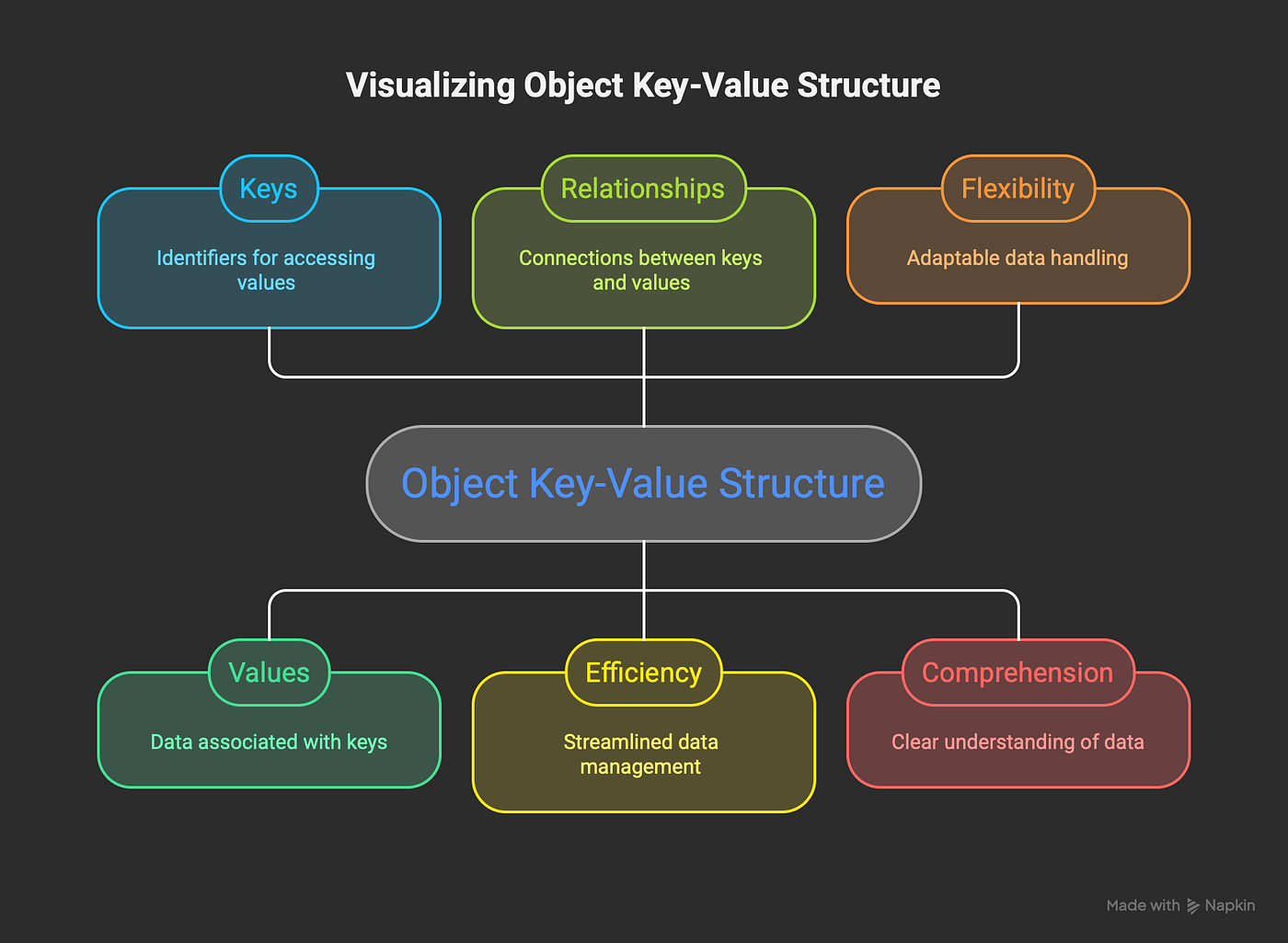
(These show clear key → value connections)
Array vs Object comparison
Left: Array with numbered boxes [0: "apple", 1: "banana"]
Right: Object with named labels {fruit1: "apple", fruit2: "banana"}
Objects are the building blocks of modern JS — APIs return objects, JSON is objects, React state is objects. Master them early!
Happy coding, cohort! 🚀
What's one real-world thing you'd model as an object? Comment below! 😄


